Best Budget Monitors on Amazon (US) – May 2026: 100Hz–120Hz Picks for Work & Gaming
Compare the best budget monitors on Amazon (US) in May 2026. Find 100Hz–120Hz FHD displays for gaming, work, and everyday use with real buyer-focused insights.

The context
Best Budget Monitors on Amazon (US) – May 2026: 100Hz–120Hz Picks for Work & Gaming
If you're shopping for a budget monitor on Amazon (US) in May 2026, the market is surprisingly competitive in the $90–$150 range. The real decision isn’t just size anymore—it’s refresh rate consistency (100Hz vs 120Hz), panel quality (IPS vs VA), and whether color accuracy or gaming responsiveness matters more to you. This comparison focuses on six FHD monitors that sit in the sweet spot for office use, casual gaming, and hybrid setups without overpaying for features you may not notice day-to-day.
Our best pick
🏆 Best Pick
It delivers the most balanced mix of 27-inch screen space, IPS color accuracy, and 120Hz smoothness, making it the most practical long-term choice for mixed use on Amazon (US) in May 2026.
What works
- ✓ Wide range of IPS and VA panels under $150 on Amazon (US)
- ✓ 120Hz is now standard even in budget monitors
- ✓ Good color coverage available even at entry level
- ✓ Strong competition keeps pricing aggressive in May 2026
Trade-offs
- − Stand quality is basic across most models
- − HDR performance is not meaningful in this price range
- − VA panels sacrifice viewing angles
- − Brand differences matter less than panel type at this budget tier
How we compare
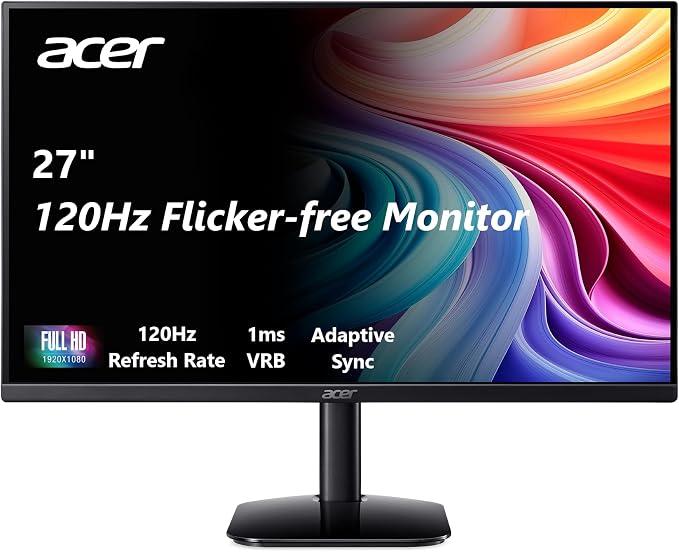
0. Acer 27" KB272 – Best Overall Balance of Size, Color & Smoothness (Expert Verdict)
The Acer 27-inch FHD IPS model stands out because it balances a larger screen with a 120Hz refresh rate and strong 99% sRGB coverage. In real-world use, that combination matters more than raw specs—text clarity, multitasking space, and smoother scrolling feel noticeably more refined than smaller 24-inch alternatives.
Key Points
- • 27-inch IPS panel with wide viewing angles
- • 120Hz refresh rate suitable for casual gaming and smooth scrolling
- • 99% sRGB gives more accurate colors than typical budget VA panels
- • FreeSync support reduces screen tearing in games
Best For
- • Users who want one monitor for both work and gaming
- • People upgrading from 60Hz office monitors
- • Students or remote workers needing screen space without going ultrawide
Not Ideal For
- • Users who need deep blacks for movie editing or HDR work
- • Those with very small desks where 27-inch feels too large
How we compare
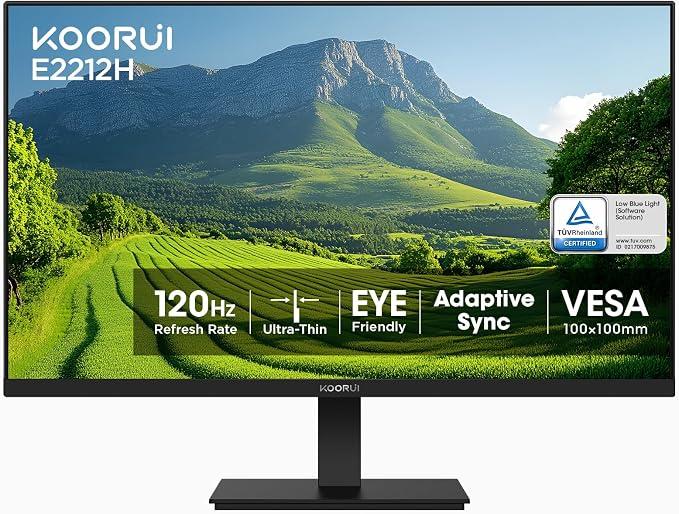
1. KOORUI 22" 120Hz – Cheapest Entry Into High Refresh Rate (Expert Verdict)
This is the most aggressive budget option in the list. It prioritizes refresh rate and contrast over color accuracy or premium build feel. The VA panel delivers strong contrast, but you trade off some color consistency and viewing angles compared to IPS models.
Key Points
- • Lowest price point in the lineup
- • 120Hz refresh rate for smoother motion
- • High contrast VA panel (4000:1)
- • Basic tilt adjustment and VESA support
Best For
- • First-time PC users or secondary monitor setups
- • Budget gamers who want 120Hz on a tight spend
- • Office users who prioritize cost over color accuracy
Not Ideal For
- • Design work or color-sensitive tasks
- • Users who prefer IPS clarity and wider viewing angles
How we compare
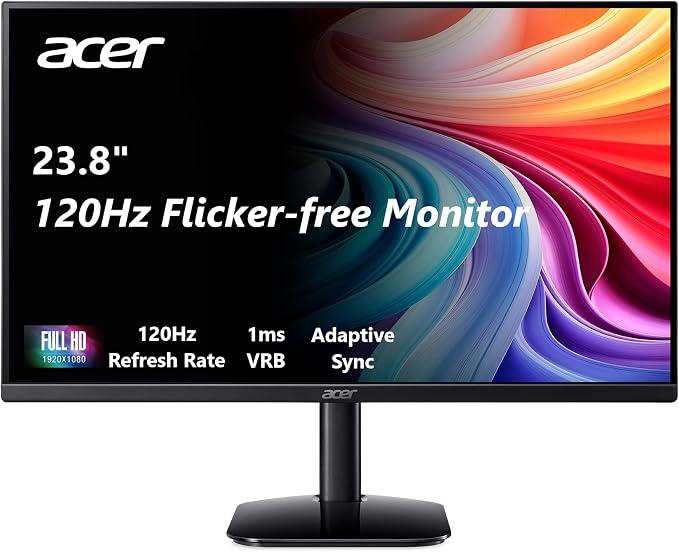
2. Acer 23.8" KB242Y – Best Value IPS for Tight Desks (Expert Verdict)
This Acer 23.8-inch IPS monitor is one of the most balanced compact options. It offers 120Hz smoothness with IPS color quality, making it a safer all-rounder than VA-based budget screens.
Key Points
- • IPS panel with consistent color reproduction
- • 120Hz refresh rate for smooth UI and gaming
- • 1ms VRB response mode for reduced motion blur
- • Compact 23.8-inch size fits smaller desks better
Best For
- • Small desk setups or dorm rooms
- • Users upgrading from 60Hz 24-inch monitors
- • Casual gamers who want IPS clarity
Not Ideal For
- • Users who want a large 27-inch workspace
- • Those prioritizing cinematic contrast over accuracy
How we compare
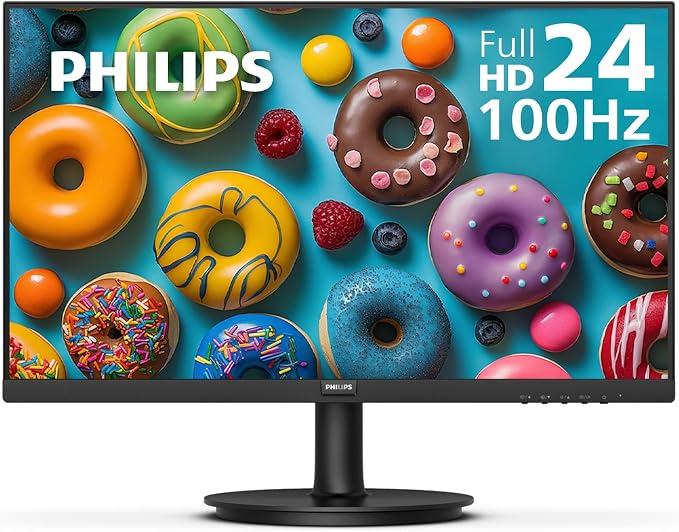
3. Philips 24" 100Hz – Most Reliable Everyday Work Monitor (Expert Verdict)
The Philips 24-inch 100Hz monitor is less about gaming hype and more about reliability. It’s a safe pick for office work, long browsing sessions, and general productivity with eye-care features and a solid warranty advantage.
Key Points
- • 100Hz refresh rate improves daily smoothness over 60Hz
- • Eye Care features reduce strain for long sessions
- • Frameless design works well in dual-monitor setups
- • 4-year advance replacement warranty adds confidence
Best For
- • Office users and remote workers
- • Dual monitor productivity setups
- • Users prioritizing reliability over gaming specs
Not Ideal For
- • Competitive gamers needing 120Hz+ performance
- • Users wanting high color accuracy for creative work
Review consensus
Ratings & Reviews
Product 01
KOORUI 22" 120Hz VA
At a glance
- Summary
- A cost-focused 120Hz monitor that prioritizes speed over visual accuracy.
- Price
- $98.38 (budget)
- Rating
- 4.5 out of 5
- Reviewers
- 15100
Pros
- • Very low price entry point
- • High contrast VA panel
- • 120Hz smooth motion
Cons
- • Smaller 22-inch workspace
- • Less accurate colors than IPS
- • Basic build quality
Best For
- • Budget gaming setups
- • Secondary monitors
Not for
- • Creative work
- • Large productivity setups
ProdXpert insights
Performance Insights
- • Good motion smoothness for entry-level gaming
- • Contrast is strong but color consistency varies by angle
Comparison Insights
- • Cheaper but less refined than Philips or Acer IPS models
Key Differences
- • VA panel vs IPS in most competitors
- • Smallest screen in lineup
Product 02
Philips 24" 100Hz Frameless
At a glance
- Summary
- A productivity-first monitor with smooth enough refresh for daily use.
- Price
- $112.45 (mid)
- Rating
- 4.6 out of 5
- Reviewers
- 1800
Pros
- • Eye-care features
- • Reliable brand build
- • Good for productivity
Cons
- • Only 100Hz
- • Limited gaming focus
- • Basic port selection
Best For
- • Office work
- • Dual monitor setups
Not for
- • Competitive gaming
- • High-end color work
ProdXpert insights
Performance Insights
- • Smooth UI experience vs 60Hz monitors
- • Stable color for office tasks
Comparison Insights
- • More work-focused than Acer gaming-leaning models
Key Differences
- • Warranty advantage over most budget brands
- • No 120Hz support
Product 03
Acer 27" KB272 IPS 120Hz
At a glance
- Summary
- Best overall balance of size, speed, and color accuracy.
- Price
- $140.57 (mid)
- Rating
- 4.6 out of 5
- Reviewers
- 1600
Pros
- • Large 27-inch workspace
- • 120Hz smooth refresh
- • Strong color accuracy (99% sRGB)
Cons
- • Higher desk space requirement
- • No advanced ergonomic stand
Best For
- • Mixed gaming and work
- • Productivity multitasking
Not for
- • Small desks
- • HDR-focused users
ProdXpert insights
Performance Insights
- • Smooth scrolling and gaming feel
- • Better color consistency than VA panels
Comparison Insights
- • Outperforms budget VA monitors in visual quality
Key Differences
- • Largest IPS 120Hz option in list
- • Stronger color accuracy than KOORUI
Product 04
Acer 23.8" KB242Y IPS 120Hz
At a glance
- Summary
- Compact IPS option with strong all-round performance.
- Price
- $112.45 (mid)
- Rating
- 4.6 out of 5
- Reviewers
- 1600
Pros
- • Compact size for small desks
- • IPS clarity
- • 120Hz refresh rate
Cons
- • Smaller screen area
- • Less immersive than 27-inch models
Best For
- • Small setups
- • Students
Not for
- • Large multitasking workflows
ProdXpert insights
Performance Insights
- • Good balance of clarity and speed
- • Stable viewing angles
Comparison Insights
- • Better visual quality than VA KOORUI
Key Differences
- • Smaller than Acer 27-inch version
- • Still maintains 120Hz
Product 05
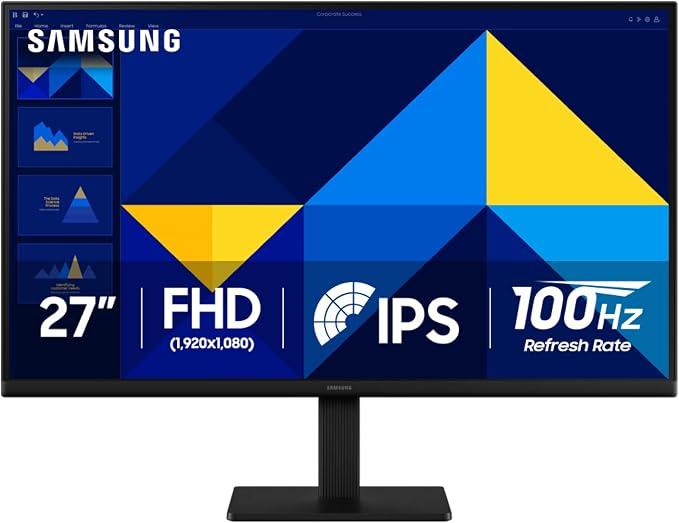
Samsung 27" S30GD 100Hz IPS
At a glance
- Summary
- Comfort-focused 27-inch IPS monitor with balanced performance.
- Price
- $140.57 (mid)
- Rating
- 4.4 out of 5
- Reviewers
- 1500
Pros
- • Large IPS display
- • 100Hz smooth refresh
- • Good ergonomic design
Cons
- • No 120Hz option
- • Price higher than similar Acer models
Best For
- • Work-first users
- • Comfort-focused setups
Not for
- • Competitive gaming users
ProdXpert insights
Performance Insights
- • Smooth enough for daily productivity
- • Stable colors for office use
Comparison Insights
- • Less gaming-focused than Acer 120Hz alternatives
Key Differences
- • 100Hz cap vs Acer 120Hz models
Product 06
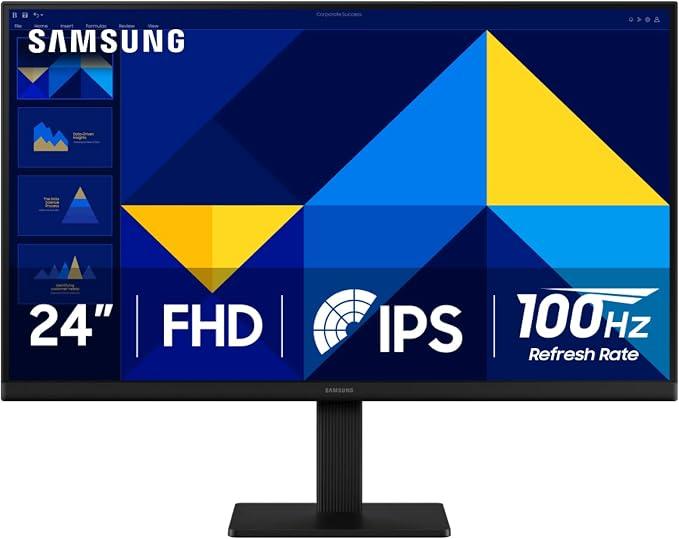
Samsung 24" S30GD 100Hz IPS
At a glance
- Summary
- Reliable compact monitor for everyday productivity.
- Price
- $140.57 (mid)
- Rating
- 4.4 out of 5
- Reviewers
- 1500
Pros
- • Compact IPS panel
- • 100Hz refresh rate
- • Eye care features
Cons
- • No gaming-oriented features
- • Higher price than expected for 100Hz
Best For
- • Office work
- • Light productivity
Not for
- • Gaming-focused users
ProdXpert insights
Performance Insights
- • Smooth UI over 60Hz baseline
- • Comfortable for long sessions
Comparison Insights
- • Less value-per-dollar than Acer equivalents
Key Differences
- • Samsung build focus vs Acer spec focus
Key takeaways
Key Insights
- IPS vs VA matters more than brand at this price level
- 27-inch 120Hz monitors offer the best productivity-gaming balance
- 100Hz is fine for office use but feels less responsive for gaming
- KOORUI leads on price, Acer leads on balance, Samsung leads on comfort branding
Common questions
FAQs
Q: Is 120Hz worth it on a budget monitor in 2026?
A: Yes, especially if you scroll a lot or play casual games. The jump from 60Hz to 120Hz is still more noticeable than most resolution upgrades in this price range.
Q: IPS vs VA monitor: which should I choose?
A: IPS is better for color consistency and wide viewing angles. VA usually gives higher contrast but can look less accurate off-angle. For mixed use, IPS is generally safer.
Q: Is a 27-inch monitor too big for desk use?
A: Not necessarily. 27-inch is ideal for multitasking, but you need enough desk depth. If you're sitting very close, 24-inch may feel more comfortable.
Q: Are these monitors good for gaming on Amazon (US)?
A: Yes for casual gaming. Most support 100Hz or 120Hz with FreeSync, but they are not aimed at competitive esports-level performance.
Retailer shortlist
Top Picks You Can Buy Now
Affiliate links may earn ProdXpert a commission without changing your price.
More buying guides
 Amazon (US)
Best Vacuum Cleaners on Amazon (US) – May 2026: Upright, Cordless & Pet Hair Picks Compared
Compare the best vacuum cleaners on Amazon (US) in May 2026. See upright, cordless, and pet hair vacuums from Shark, Bissell, Dyson, Eureka and more with real buying tradeoffs.
Read the guide Amazon (US)
Best Cheap Laptops on Amazon (US) – May 2026 Budget Picks Compared
Looking for the best cheap laptop on Amazon (US) in May 2026? Compare HP Chromebook, HP Stream, and ASUS Vivobook models for school, work, and everyday use.
Read the guide Amazon (US)
Best Carry On Luggage on Amazon (US) May 2026 Top Picks
Discover the best carry on luggage on Amazon (US) in May 2026. Compare top hardside suitcases, softside bags, backpacks, and budget travel picks.
Read the guide